

Hi there! 🌟
Let’s make granting us access to your Google Ads account as smooth as possible. Follow this simple guide, and we’ll be ready to optimize your ads in no time!
Step 1: Log in to Your Google My Business Profile
- Start by logging into your Google account and opening your Google My Business profile.
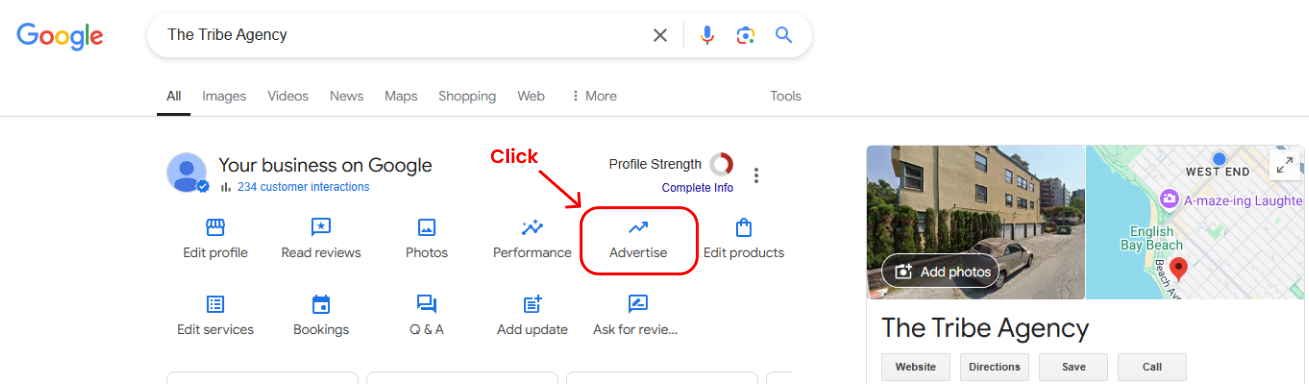
Step 2: Click on "Advertise"
- Once you’re in your Google My Business profile, locate the “Advertise” option and click on it.
Step 3: Open "Access and Security" in Admin Settings
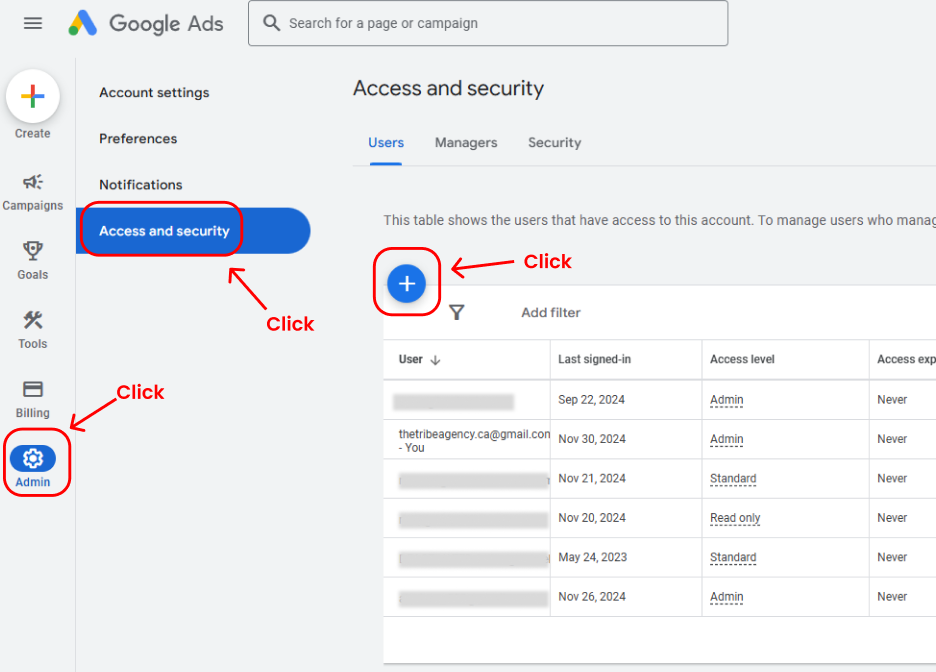
- On the left-hand side menu, click on “Admin.”
- Then select “Access and Security.”
- Once in the Access and Security section, click the blue “+” button to add a new user.
Step 4: Add Our Email and Assign Admin Access
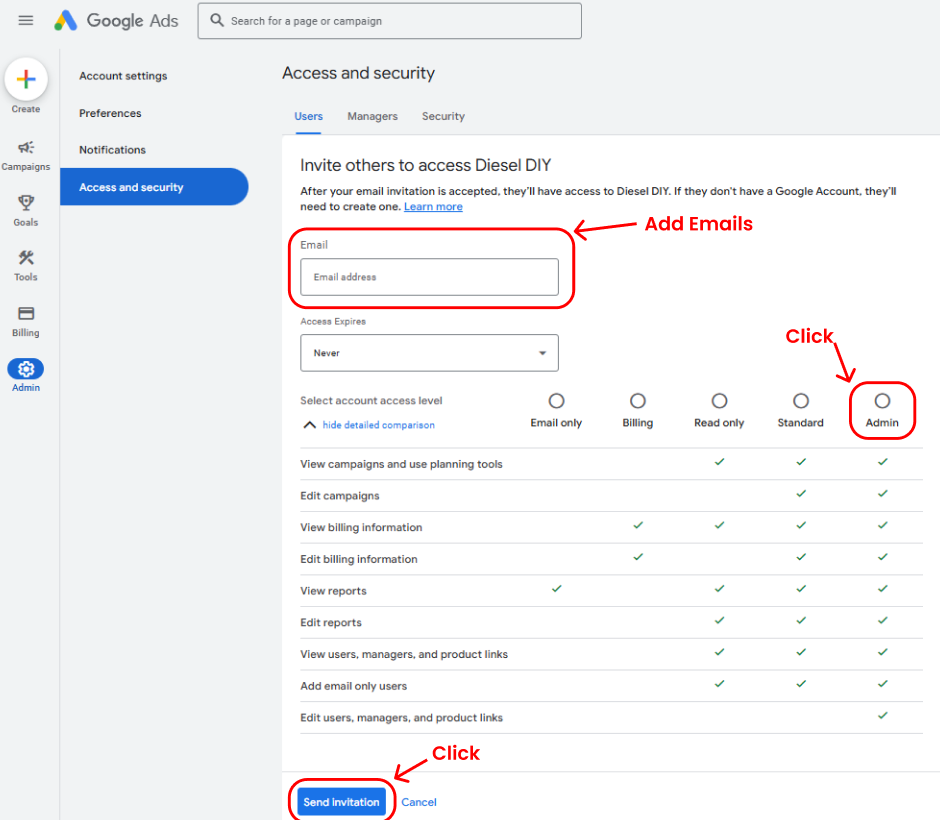
- Enter the email address we’ve shared with you for this project.
- Make sure to set the Access Level to “Admin.”
- Double-check everything to ensure accuracy and then click “Send Invitation.”
That’s It! 🎉
You’ve successfully granted us access to your Google Ads account. If you encounter any issues or need assistance at any step, don’t hesitate to reach out—we’re here to help! Together, we’ll make your campaigns shine. 🚀✨